
All Sports
Volleyball Tips — How to Win Matches in Switch Sports Resort
Win Volleyball matches in Switch Sports Resort: score five points, chain receive-set-spike timing to power up spikes, time your blocks, and drill Bump to the Beat.
FAQ
How do you win a Volleyball match in Switch Sports Resort?
What is Bump to the Beat in Switch Sports Resort?
Can you move your player in Volleyball?
What do the Next: Hit and Next: Block icons mean?
Is Volleyball 2v2 or 4v4 in Switch Sports Resort?
How do you get Spocco Points from Volleyball?
How do you win at Volleyball in Switch Sports Resort?
Score five points first, and get there by chaining receive, set, and spike with good timing — the last link in that chain physically powers up your spike. The “Score 5 points to win” line is printed by the in-game tutorial, and Nintendo’s official volleyball page states that linking レシーブ → トス → スパイク with good timing raises the power of the final spike. Every “Nice!” popup the game awards on a well-timed touch is that system telling you that you are on pace.
Practically, a winning rally looks like this: receive the serve with an upward swing timed to the ball, let the game flash Next: Pass so your setter knows the plan, then finish with a swing aimed where the defense is not. The basics of the three motions are covered step by step in the Volleyball overview and the controls overview.
What are the three Volleyball modes?
Match, Bump to the Beat, and Online Match — pick Match to learn, Bump to the Beat to drill timing, and Online Match once both feel stable. The mode menu in our reference footage lists exactly these three, with copy that reads “A two-on-two match. Focus on your teamwork to keep the ball moving!” and a 1–4 player badge. A four-on-four configuration also appears in menu copy observed in another launch walkthrough, so expect both team sizes rather than one fixed format.
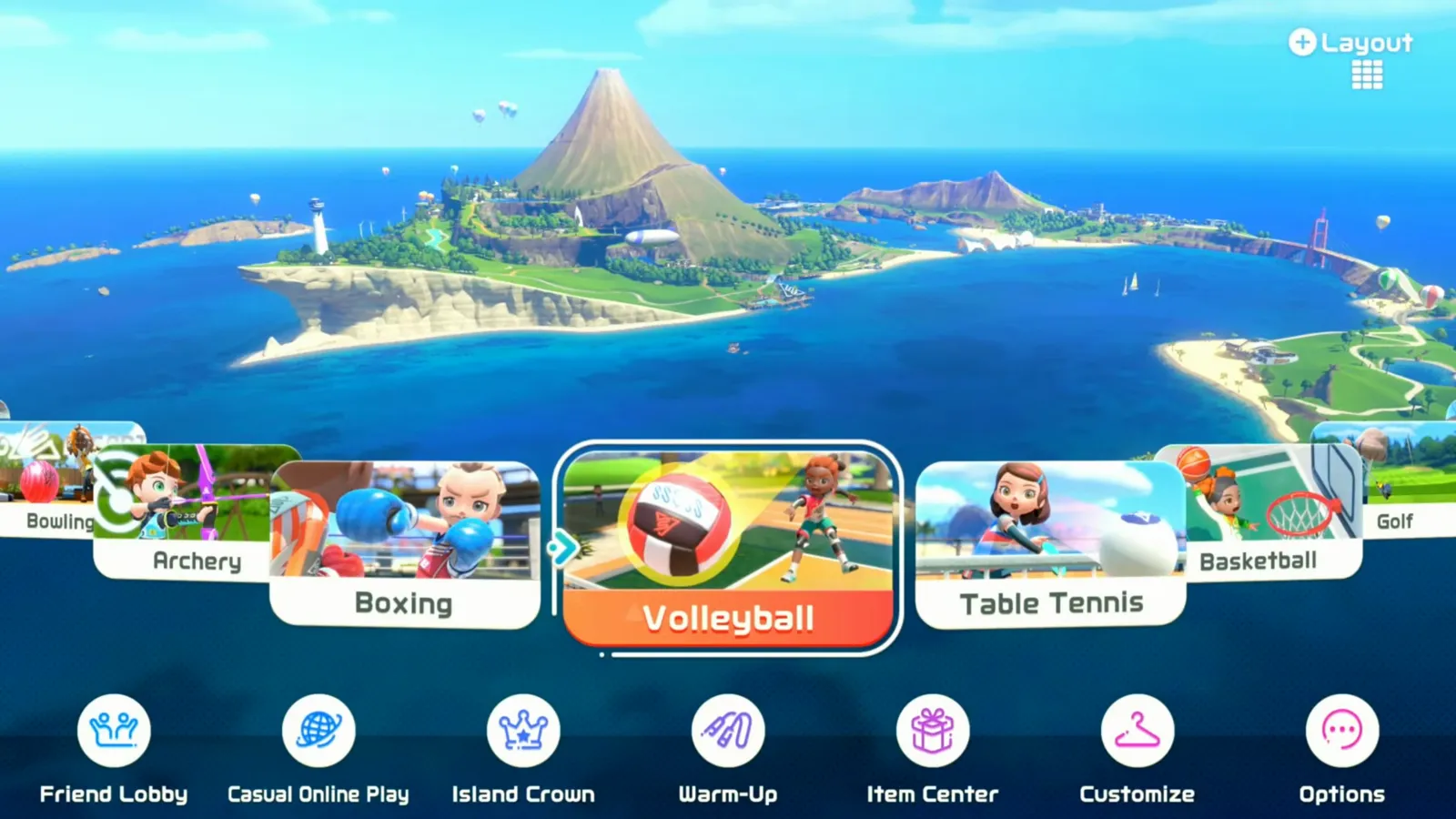
Volleyball lives on the Wuhu Island sport menu next to Table Tennis and Basketball — see 0:30 of the reference footage: watch
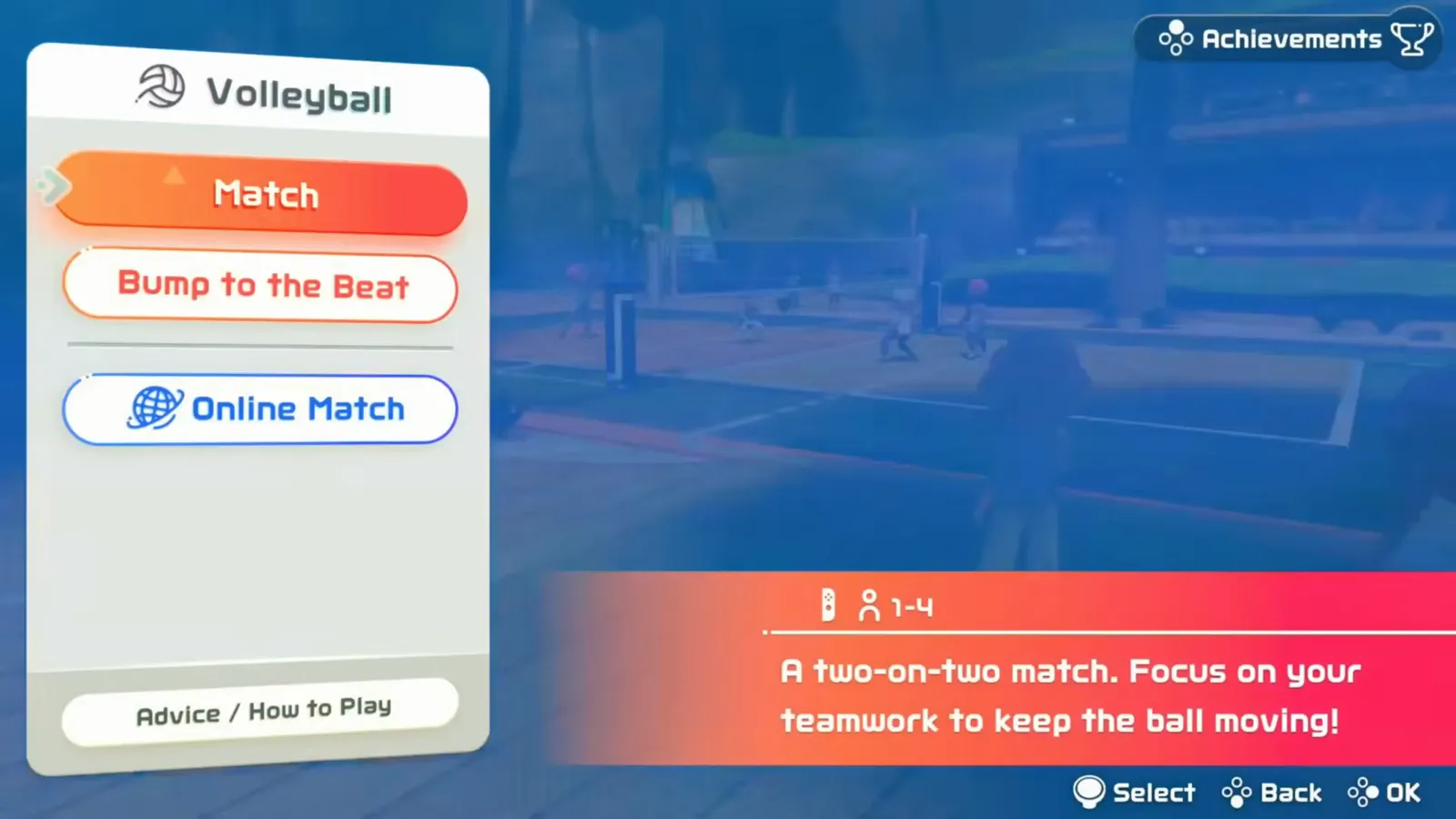
The three modes as shipped; the red description panel currently explains Match — 0:31: watch
Online play feeds the same Island Crown progression and online matchmaking as the other competitive sports, so the tips below apply to ranked queues too.
How does the receive–set–spike timing chain power up spikes?
Each well-timed touch in the chain makes the next one stronger, and the game grades every touch out loud. Nintendo’s page is explicit that good timing across receive, set, and spike raises the final spike’s power. In match footage the reward is visible: balls flashed with brighter colored trails after clean sequences, while sloppy touches sailed back with no extra pace.
The UI also tells you what comes next — Next: Pass, Next: Hit, and Next: Block icons pop above the scoreboard as the rally develops. Read them as a rhythm ladder: the earlier you know your next action, the more of your attention is free for aim and timing instead of recognition.
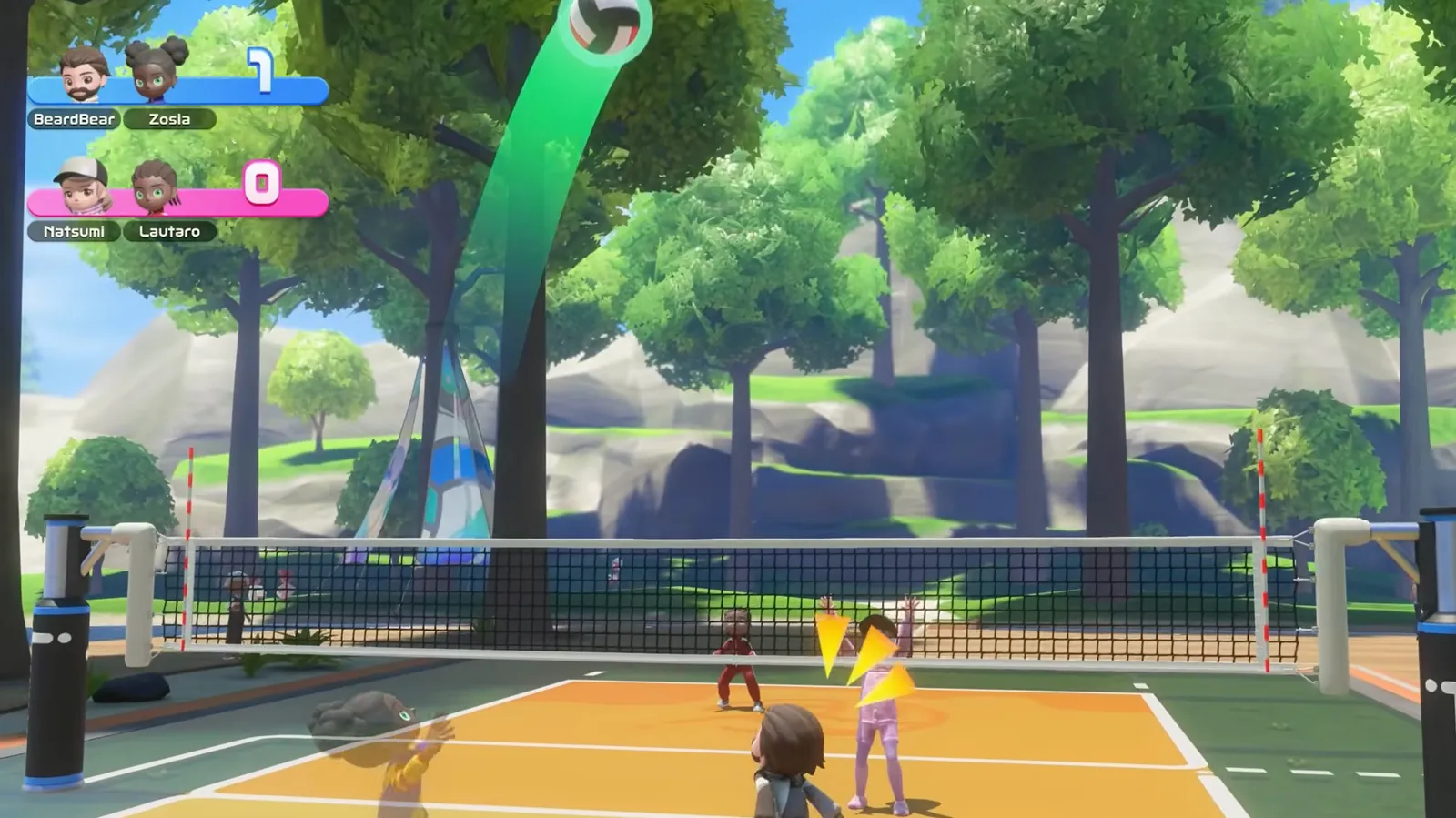
A clean chain sends the ball over with a green power trail — 24:20 of the reference match: watch
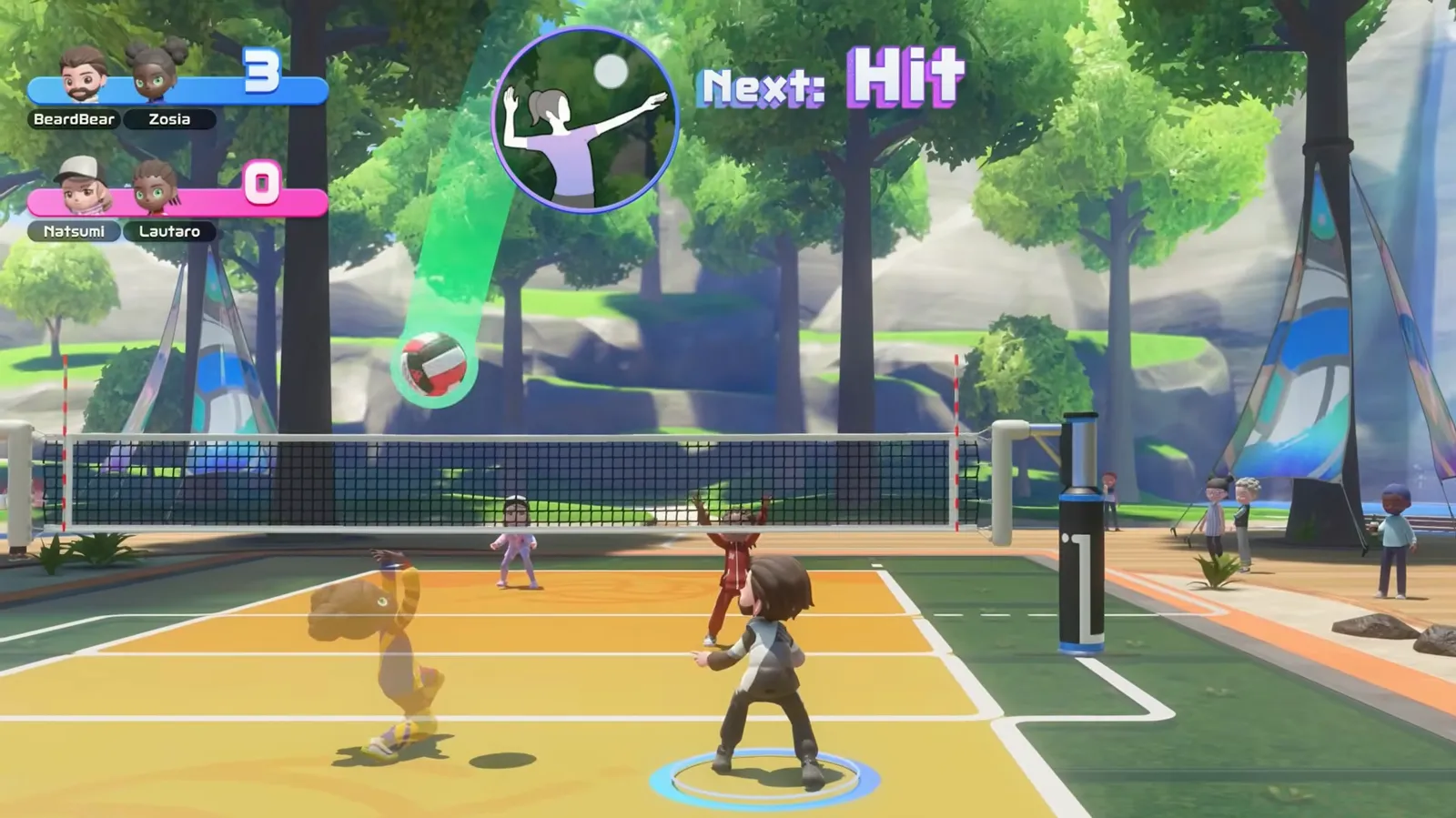
The Next: Hit icon announces the spike before the ball arrives — 24:55: watch
When should you jump to block?
Jump when the spiker jumps, and treat the “Next: Block” prompt as your cue to get set first. Blocking in the series is a reaction duel: watch the opposing setter’s ball peak above the net, then time your jump off the attacker’s approach. One caveat carried over from the 2022 game’s Volleyball: fast “quick” attacks intentionally jump earlier than normal spikes, so if an opponent keeps beating your block, start jumping on their approach rather than on the set. That counter-play comes from 2022-game tutorials and community guides — the mechanic vocabulary carried into Resort, but treat exact frames as unverified until tested in your own matches.
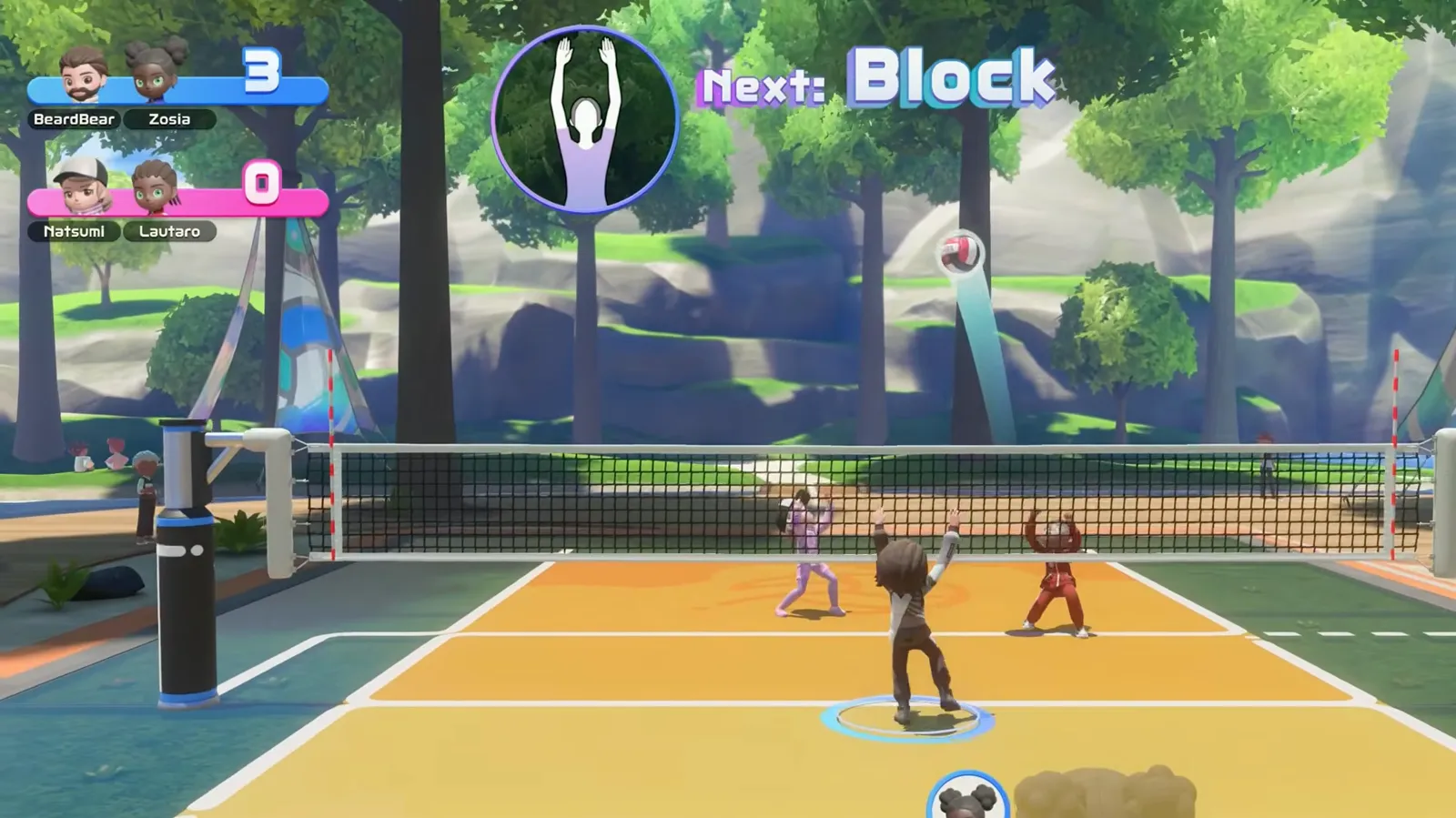
The Next: Block prompt buys you time to plant your jump — 25:02: watch
Where should you aim your spike?
Aim where the blocker is not: the Joy-Con 2 swing direction steers the ball, so target the open court on the far side of the block. Nintendo’s page frames it as aiming at the opponent’s gaps (“相手コートの隙を狙います”). In practice, swing across your body toward the corner the blocker just left, and vary the target between rallies — a telegraphed cross-court swing gets picked up by the defender hovering in the middle.
Can you move your player in Volleyball?
Yes — your defender can shuffle left and right with the stick while everything else stays automated. Match footage shows a “Move left and right!” hint with blue arrows under the receiving player, which matters most on defense: slide toward the side the spike is coming from, then swing up for the receive. Coverage reviewers describe positioning as otherwise automatic, so the stick is for small corrections, not roaming.
What is Bump to the Beat?
It is Volleyball’s rhythm-training mode: four machines launch balls, each player bumps toward their own colored target, and the game grades every bump with timing words. The mode menu bills it as “Get your timing down to nail as many ‘Nice’ ball bumps as you can!”, with Beginner, Advanced, and Expert difficulty settings. Nintendo’s Japanese site lists the same mode as タイミングレシーブ (Timing Receive) — the English menu name is Bump to the Beat, and our guide uses the English name throughout.
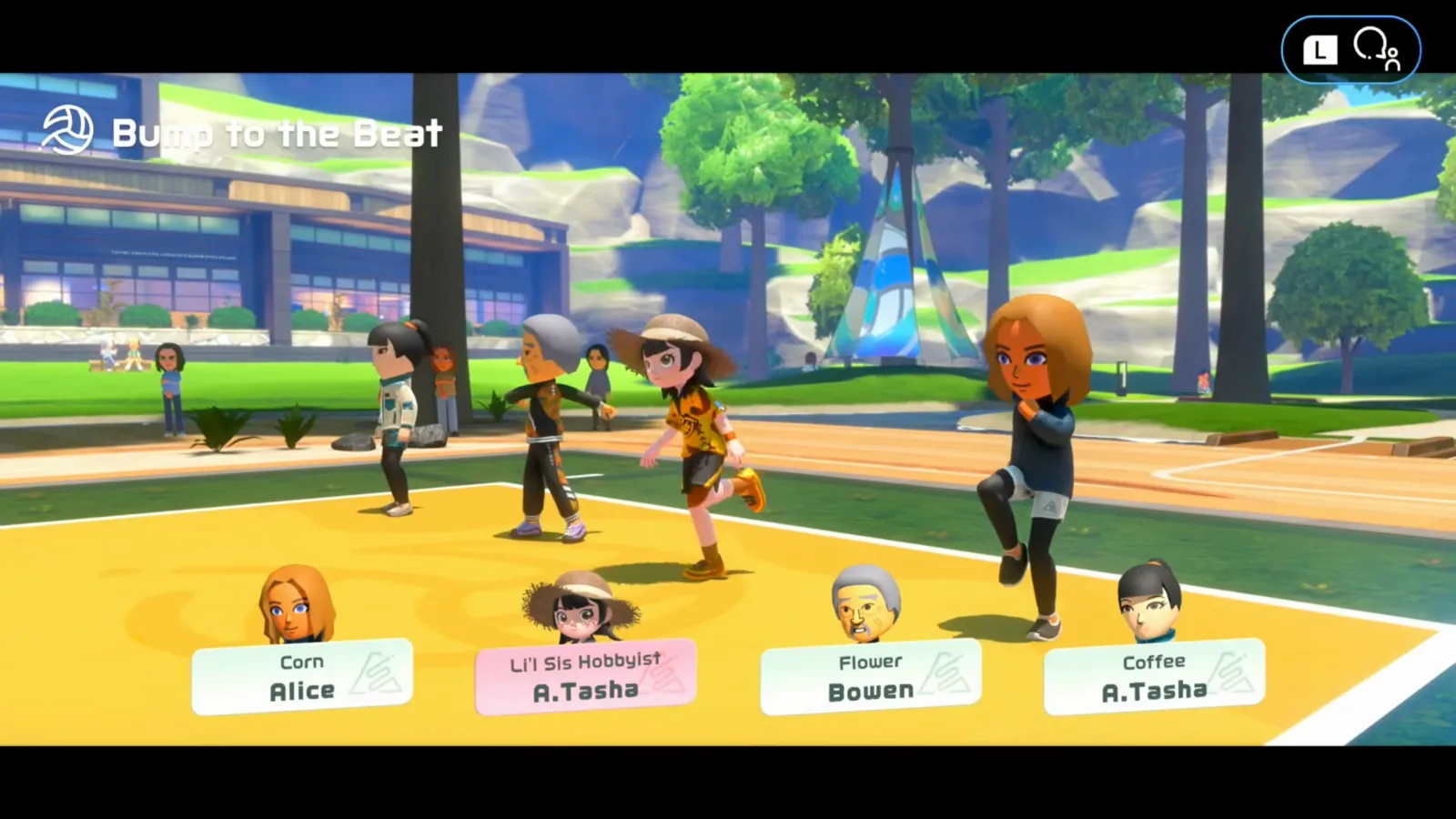
Four launchers, four lanes, one player per lane — 0:52 of the reference footage: watch
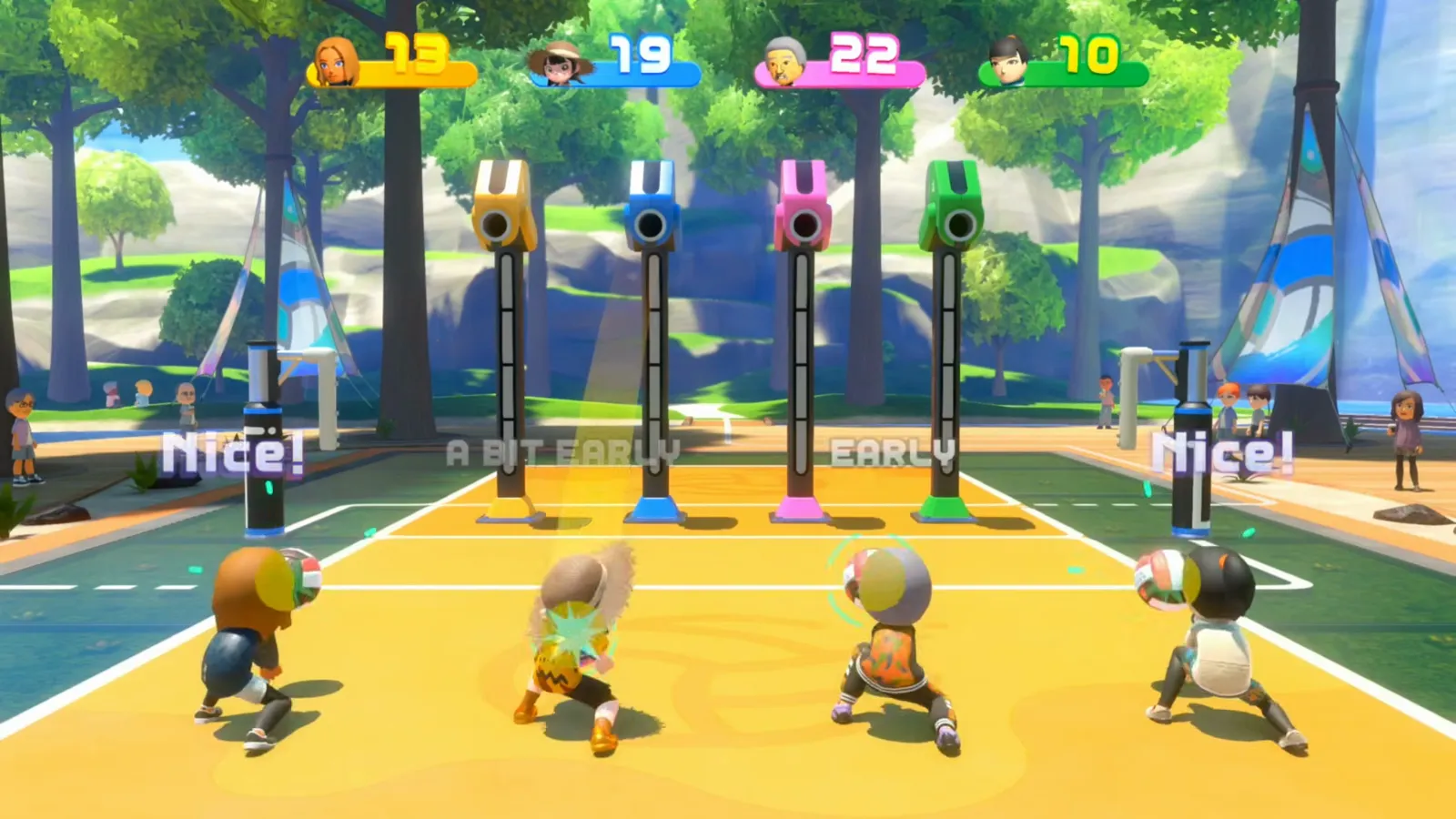
Every bump gets one of five grades: Nice! beats EARLY, A BIT EARLY, A LITTLE LATE, and LATE — 1:53: watch
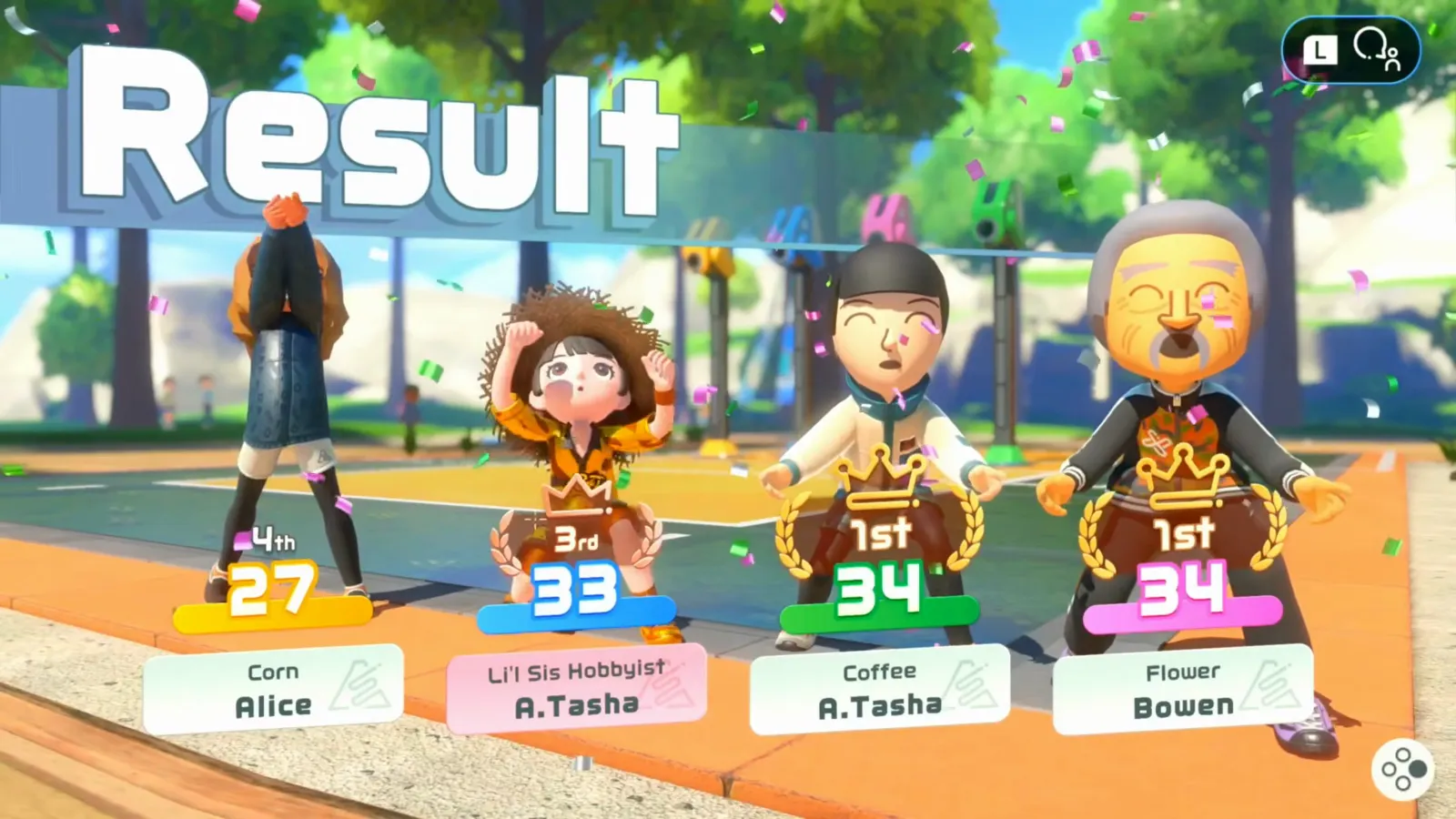
The result board ranks all four players individually, ties included — 2:22: watch
Scoring is per-player, not per-team: the round ends with a four-way ranking, and a Perfect Passes goal card (“Pass every ball without any misses”) pays 500 Spocco Points in our footage. Because every receive in a real match is graded by the same timing system, this mode is the closest thing to a batting cage for the timing chain described above.
How should you practice before going online?
One Bump to the Beat run on Expert, then a CPU Match, then online — in that order. The CPU Match settings screen offers Normal, Strong, and Powerhouse strength tiers, so you can climb pressure gradually; our reference run of a Normal CPU match to 5–0 paid out 280 Spocco Points. Warm-up options on the main menu (including the jump-rope warm-up) loosen the wrist before the timing-sensitive work.

Nintendo Switch Sports Resort | Volleyball 4 Players Party: Bump to the Beat - Beginner & Expert
What we still do not know
Related reading
Sources and last checked
- Nintendo official volleyball page (JP) — timing chain powers up spikes, タイミングレシーブ mode
- Nintendo “Get warmed up” overview — bump, set, spike description
- Calem MrNazreenn — Volleyball 4 Players Party: Bump to the Beat launch footage (mode menu, judgments, result board; frames referenced above)
- BeardBear — Switch Sports Resort full walkthrough (match footage for the spike, Next: Hit, and Next: Block frames above)
- In-game tutorial text (“Score 5 points to win”, Setting/Hitting steps) as shown in launch-footage tutorials
- AirKirby — Nintendo Switch Sports (2022) volleyball technique guide, source for labeled series carry-over tips (quick attack, block reads)
Last checked: 2026-10-23
Related Articles
Collectibles
Switch Sports Resort Photo Spots: All 105 Sightseeing Locations (Prop Plane)
Where to find all 105 Prop Plane sightseeing photo spots in Switch Sports Resort: how spot cards, map pins and floating camera markers work, region by region.
Sports
100-Pin Bowling Guide — Switch Sports Resort Secret Strike & Tips
How 100-Pin Bowling works in Switch Sports Resort: day-one availability, rules on the extra-wide lane, the Secret Strike edge trick, and what stays unverified.
Sports
Archery Secret Targets — All 12 Hidden Items in Switch Sports Resort
All 12 Archery secret targets with a landmark aiming trick for each: apples, burgers, pudding, melons, pinatas and a toaster, course by course with wind notes.
Was this helpful?
Thanks for the feedback!